RoomPlot for iPhone

Professional floor plans, straight from your iPhone.

Scan rooms with LiDAR, draw plans by hand, fine-tune every wall in 2D or 3D — then deliver client-ready PDF reports, DXF CAD files, and USDZ 3D scans.

  • Scan
  • Draw
  • Edit
  • Document
  • Export
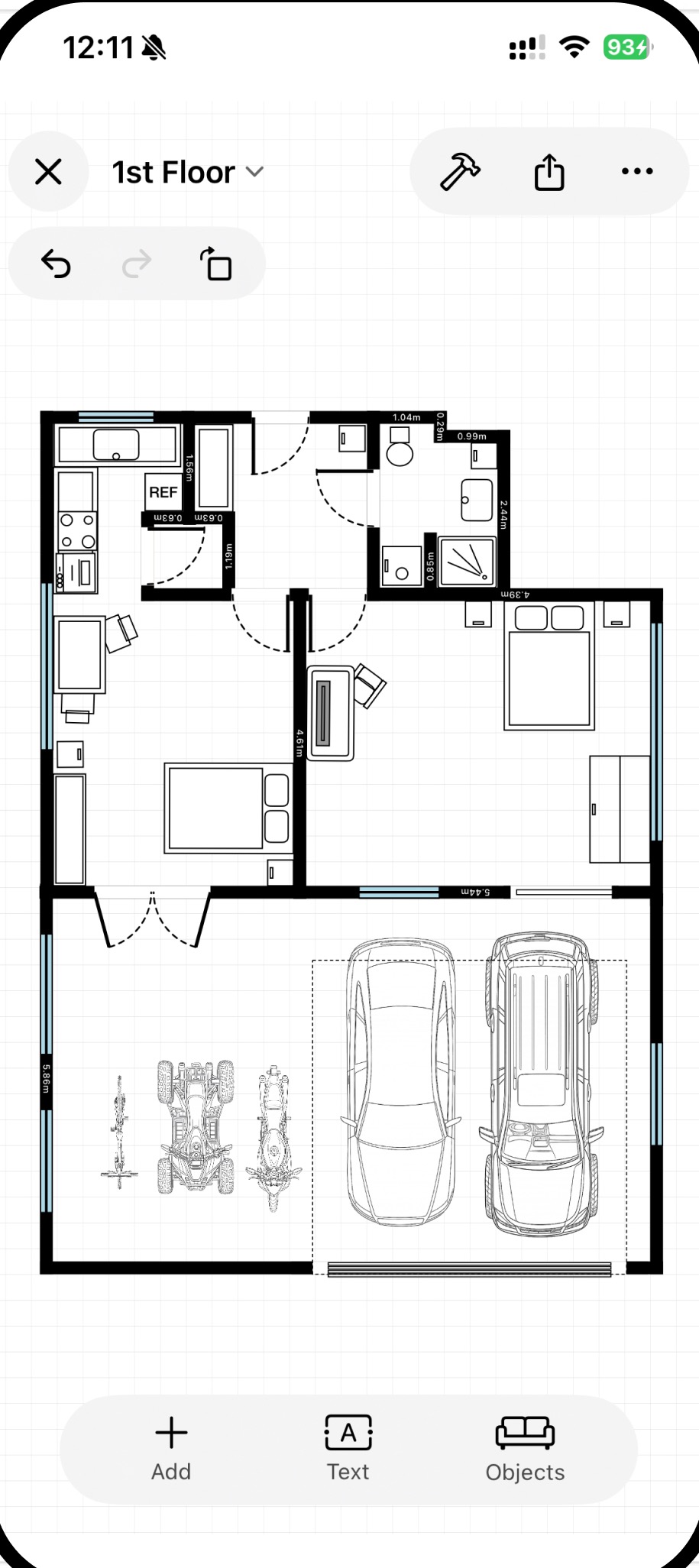
RoomPlot floor plan editor on iPhone showing a multi-room plan with kitchen, bedrooms, and a garage with vehicles

Who it’s for

One app, every property workflow.

Floor plans are the backbone of real property work — listings, permits, installs, renovations. RoomPlot keeps yours accurate, reusable, and ready to send.

  • Real estate listings

    Clean, dimensioned plans with room areas that make listings clearer and viewings faster.

  • Fire alarm plans

    Zone plans with professional fire safety symbols, plan titles, and company branding.

  • Security & access control

    Map alarms, cameras, readers, and door hardware with a dedicated symbol library.

  • Renovation & contracting

    Measure on site, sketch options with clients, and hand accurate DXF files to the office.

  • Property management

    Keep a reusable plan per unit, with notes, photos, and voice memos attached to every floor.

  • Home design

    Try layouts with real furniture sizes — sofas, beds, kitchens — before moving a thing.

The workflow

From doorway to deliverable in four steps.

RoomPlot isn’t just a scanner, and it isn’t just a drawing tool. It’s the whole job — capture, edit, document, export — in one place.

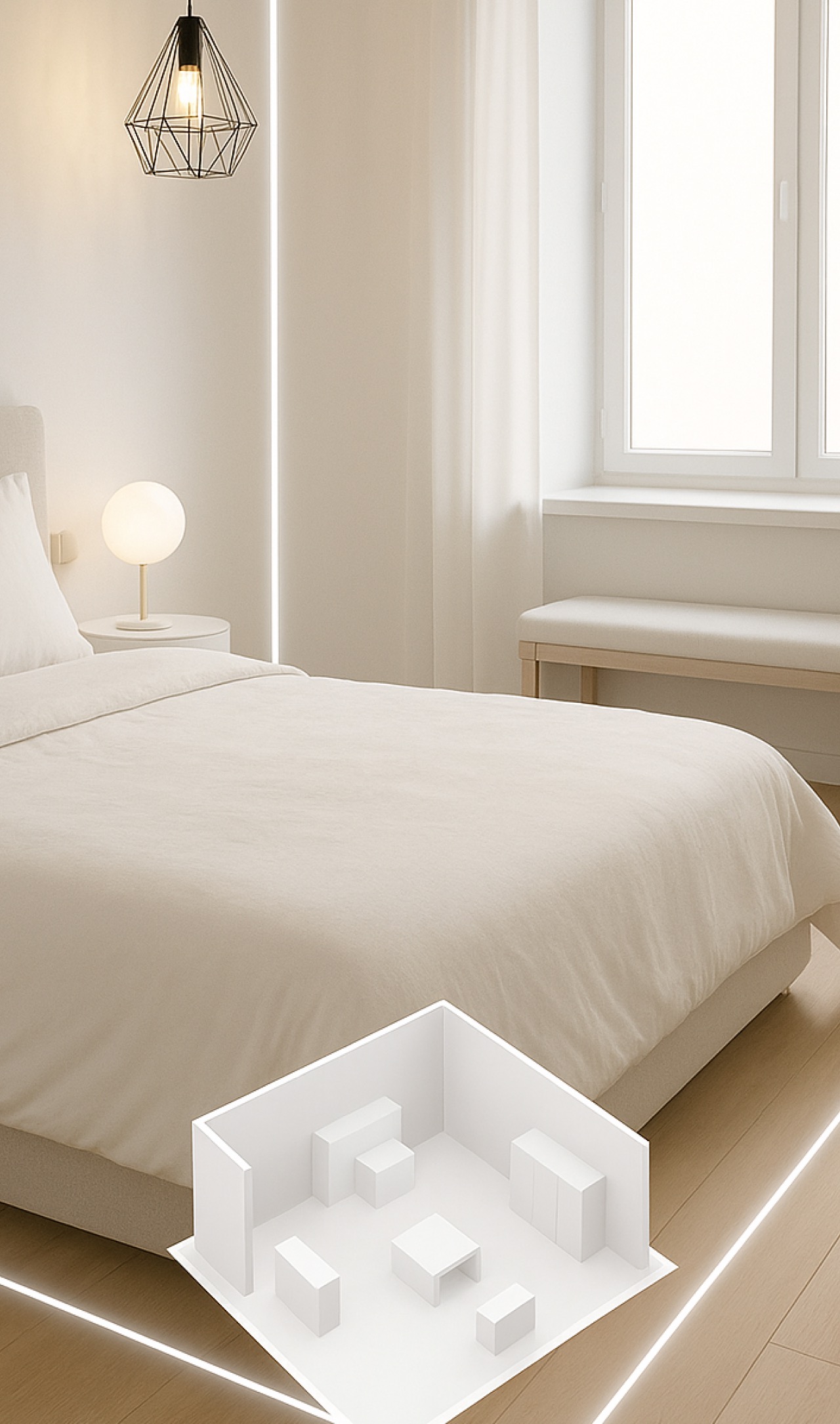
A bedroom being scanned in augmented reality, with glowing edge lines and a miniature 3D model of the room

Scan it — or sketch it.

Point your iPhone and capture a room in seconds with AR and LiDAR. Prefer to start from zero? Draw walls manually with smart snapping that keeps everything square — or scan first and refine by hand.

  • Fast AR + LiDAR room capture
  • Manual drawing with smart snapping
  • Turn scans into fully editable plans
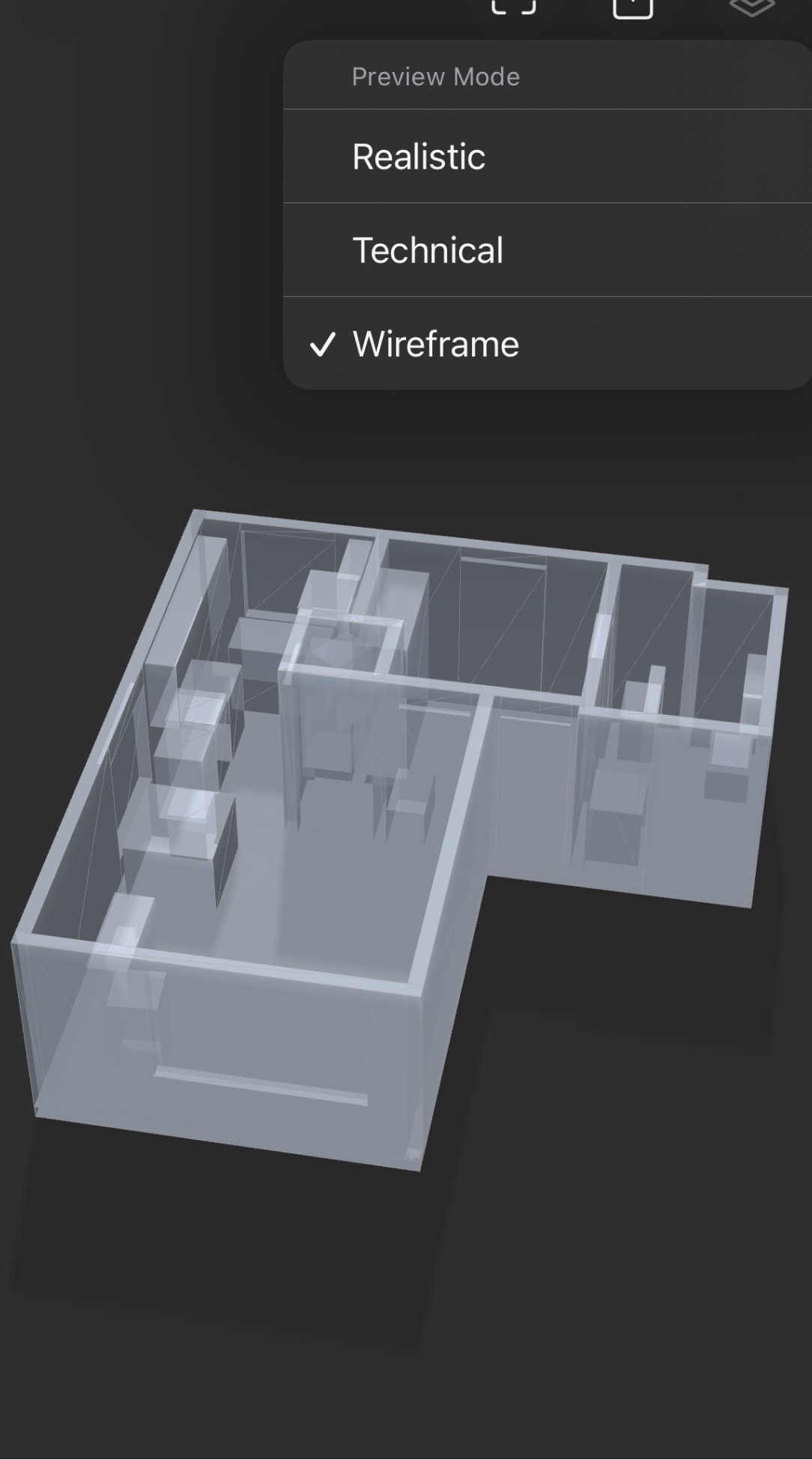
A 3D wireframe preview of an apartment in RoomPlot, with Realistic, Technical, and Wireframe preview modes

Every wall, door, and window under control.

Edit in 2D or jump into 3D. Move and resize walls, choose door types, set exact dimensions, rotate and duplicate objects, and preview your plan in realistic, technical, or wireframe mode.

  • Full 2D and 3D editing
  • Precise dimensions and rotation controls
  • Undo and redo anytime — even in 3D
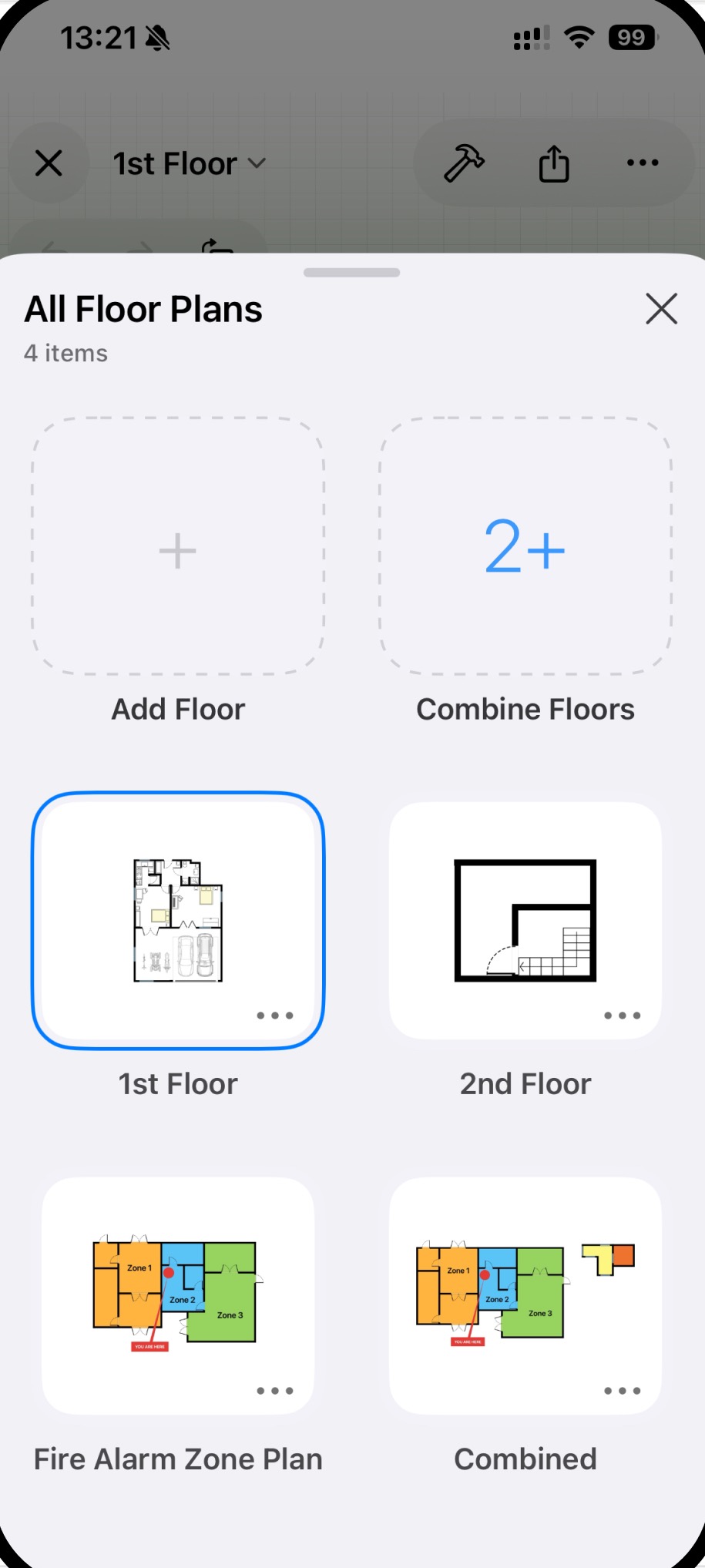
The All Floor Plans screen in RoomPlot showing a first floor, second floor, fire alarm zone plan, and combined plan

Document the whole building.

Stack multiple floors in one project and combine them into a single view. Name rooms, show calculated areas, and attach text notes, voice notes, and photos to every floor — so nothing gets lost between site and office.

  • Multi-floor projects and combined views
  • Room names with automatic area calculation
  • Notes, voice memos, and photos per floor
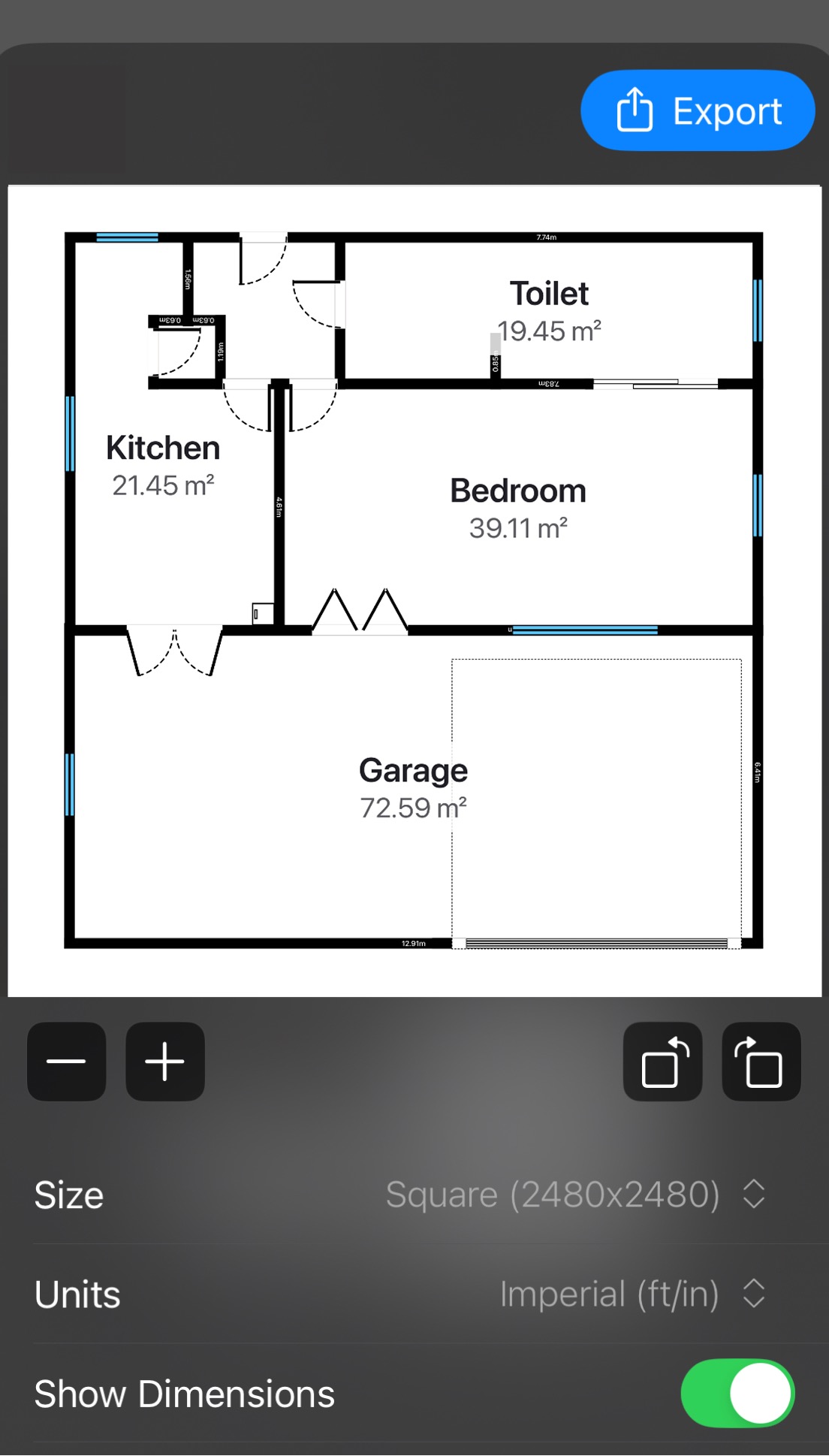
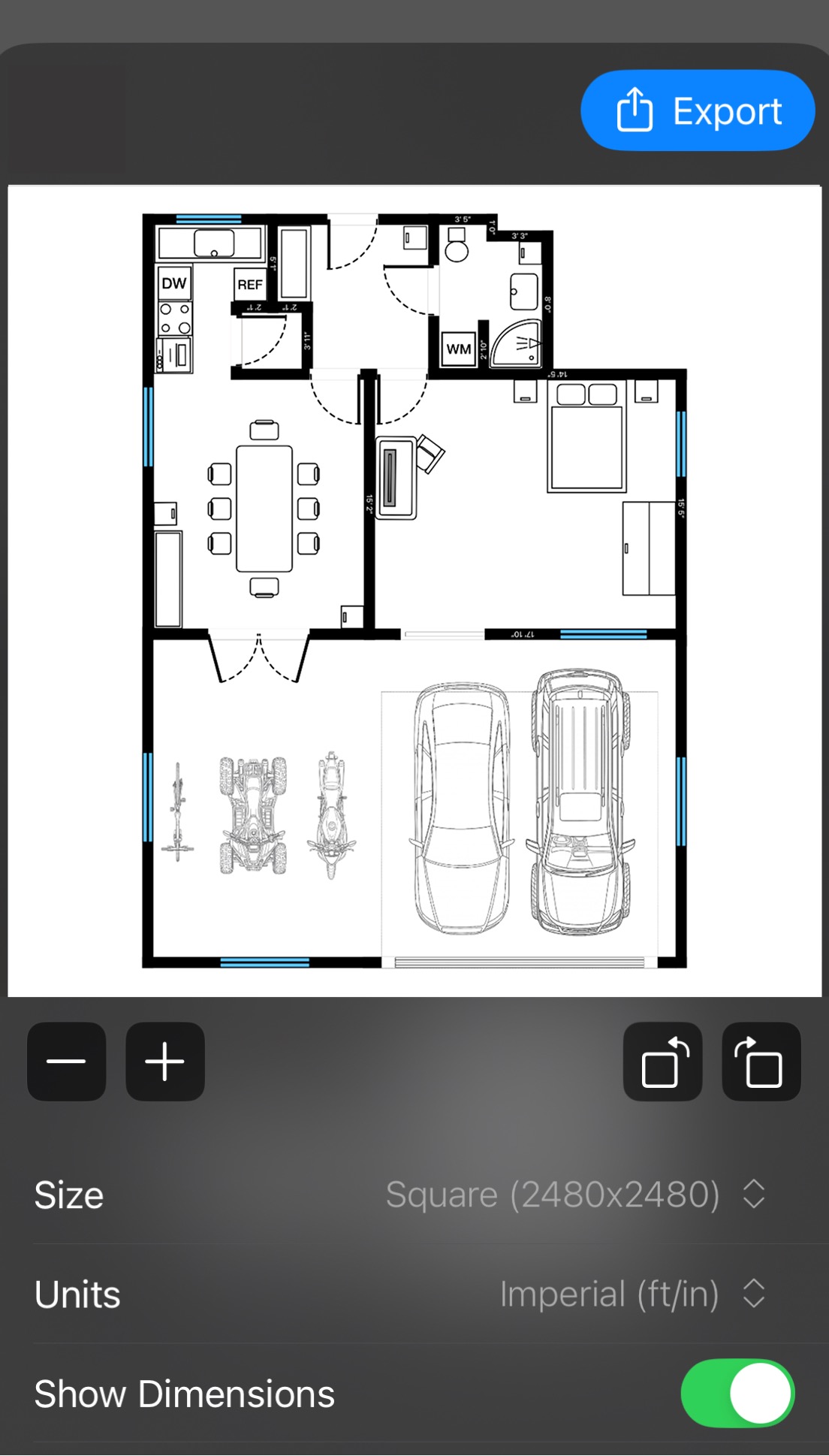
RoomPlot export screen with a dimensioned floor plan and options for paper size, units, and dimension visibility

Send work people can actually use.

Export high-resolution images and print-ready PDFs, full professional reports with legends and branding, DXF files for CAD workflows, and USDZ 3D scans. Pick paper sizes, set a North marker, show or hide dimensions.

  • Image, PDF, DXF, and USDZ export
  • Professional reports with legends & branding
  • Multiple paper sizes and a North marker

Advanced 3D editor

A real 3D editor.
In your pocket.

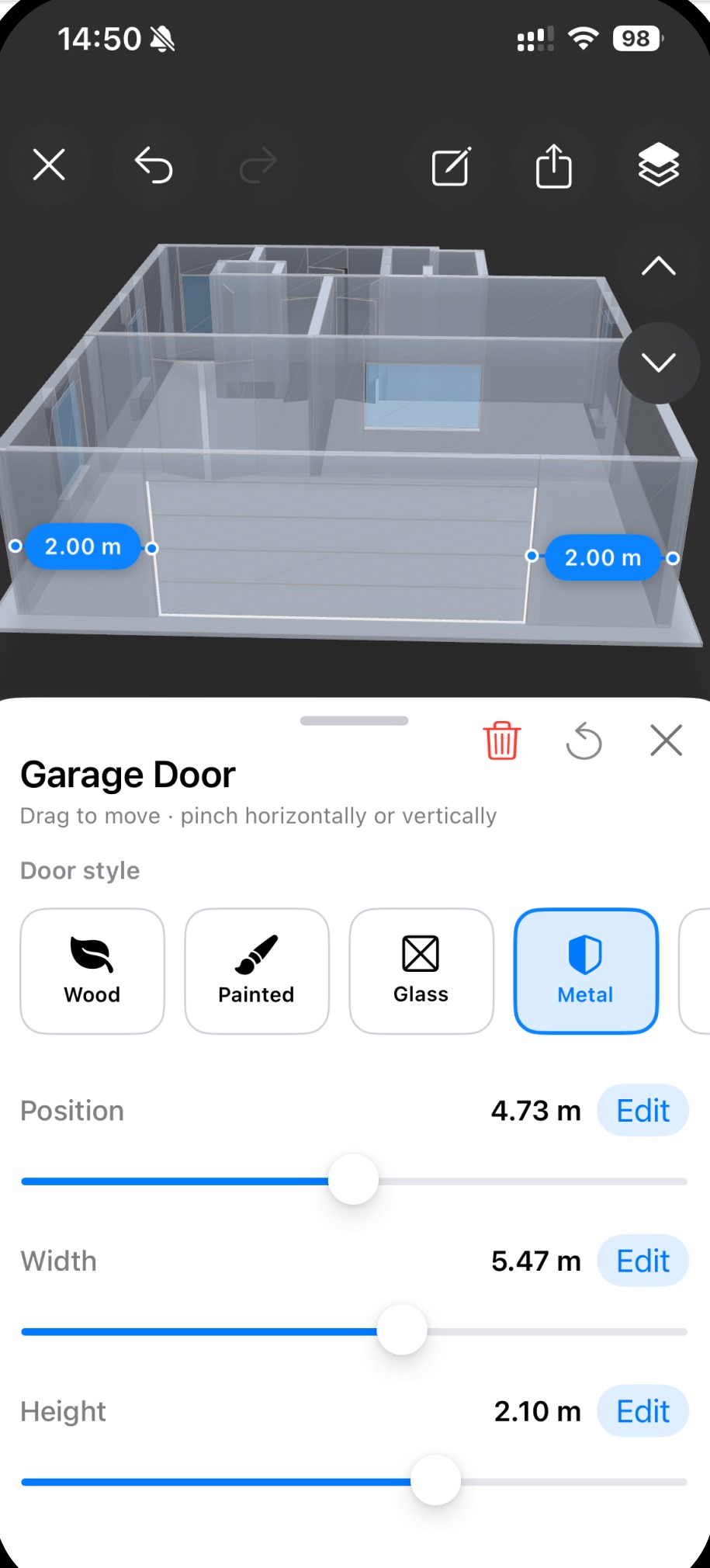
Most apps stop at a 3D preview. RoomPlot lets you work in it: grab a garage door and resize it, slide a window along a wall, adjust a wall — with live measurements as you drag.

  • Direct manipulation Move and resize walls, doors, windows, and objects in 3D.
  • Exact when it matters Type precise positions, widths, and heights — or drag with live values.
  • Door & window styles Wood, painted, glass, metal — pick a style and set the dimensions.
  • Three preview modes Realistic, technical, and wireframe — switch with a tap.
RoomPlot 3D editor with a garage door selected, showing door style options and sliders for position, width, and height

Features

Everything a plan needs. Nothing it doesn’t.

A complete toolkit for measured drawings — built to feel at home on iPhone.

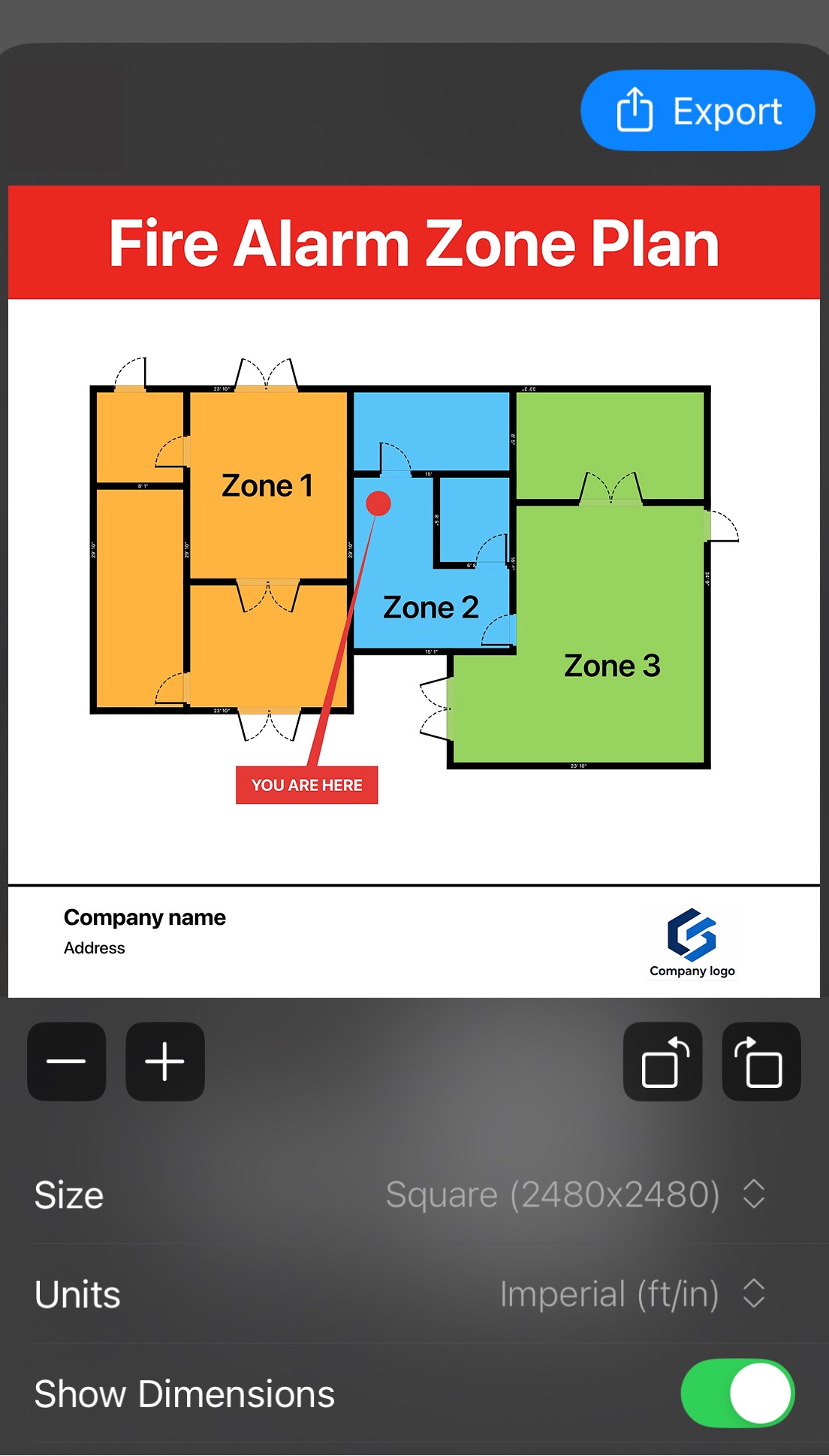
A color-coded fire alarm zone plan with three zones, a you-are-here marker, and company branding

Zone plans & pro symbols

Build fire alarm, security alarm, and access-control plans with dedicated symbol libraries, color-coded zones, and titled, branded layouts.

LiDAR scanning

Capture accurate room shapes in seconds with AR guidance.

Manual drawing

Draw plans wall by wall with smart snapping and 45° guides.

PDF reports

Plans, legends, area summaries, notes, photos, client details, and your branding — in one document.

DXF CAD export

Hand clean CAD files to architects, engineers, and design teams.

USDZ 3D scans

Share interactive 3D room scans for AR and 3D workflows.

The RoomPlot 2D editor with add, text, and objects tools and a detailed multi-room floor plan

Furniture & objects

Sofas, beds, kitchens, bathrooms, stairs, electrical, exterior objects and more — move, rotate, resize, duplicate.

Notes, photos & voice

Attach written notes, voice memos, and photos to every floor.

North marker

Set North once and stamp a professional marker on every export.

Light & dark themes

Comfortable on a bright site visit or a late-night drafting session.

Folders & favorites

Organize projects per client or building, with favorites on top and auto-save throughout.

Export

Deliverables for every desk they land on.

The client wants a PDF. The engineer wants DXF. The 3D team wants USDZ. RoomPlot ships them all from the same plan.

.PNG / .JPG

High-res images

Crisp plan images sized for listings, decks, and print.

.PDF

Reports & prints

Print-ready pages and full professional reports with branding.

.DXF

CAD files

Editable geometry for professional CAD and design tools.

.USDZ

3D scans

Share captured rooms as interactive 3D files.

Metric or imperial — your call.

Switch units anytime and every dimension, area label, and export follows. Need exact control? Enter custom area measurements manually.

Floor plan export preview with room areas labeled in square meters

On site

Built for fast field work.

Small screen, gloves off, client waiting. RoomPlot’s editor is designed for quick, confident edits where the work actually happens.

  • Smart snapping

    Doors, windows, and walls align themselves — including 45° angles.

  • Undo / redo anytime

    Experiment freely in 2D and 3D — every step is reversible.

  • Auto-save

    Your work is saved continuously. Pocket the phone mid-edit.

  • Metric & imperial

    Work in meters or feet-and-inches — switch whenever you need.

  • Reusable projects

    Save, rename, duplicate — the plan you make today works again next year.

  • Mobile-first by design

    No desktop round-trips. The whole workflow fits on the device you carry.

Your next floor plan
is minutes away.

Download RoomPlot for iPhone and go from first scan to client-ready export today.

Questions? contact@roomplot.com